One drag does the job.
Hold Alt or Option and draw around the links. Release the mouse. Your reading queue is ready.
Free Chrome extension · Open multiple links in one drag
A reading list. A page of references. A dozen things worth opening. Stop clicking them one by one. Link Lasso lets you draw a box around the links you want and open them in background tabs, while you stay right where you are.

Less clicking. More getting on with it.
Research should be about finding useful things, not repeating the same click until your hand gets bored.
Hold Alt or Option and draw around the links. Release the mouse. Your reading queue is ready.
New tabs open in the background, in the same Chrome window. Keep reading without being bounced away.
Each distinct destination opens once, in page order. Multiple links to the same address mean one new tab.
See the selection
A cyan rectangle, highlighted links and a live counter make the selection clear. Check the count, then release—or press Escape to cancel.
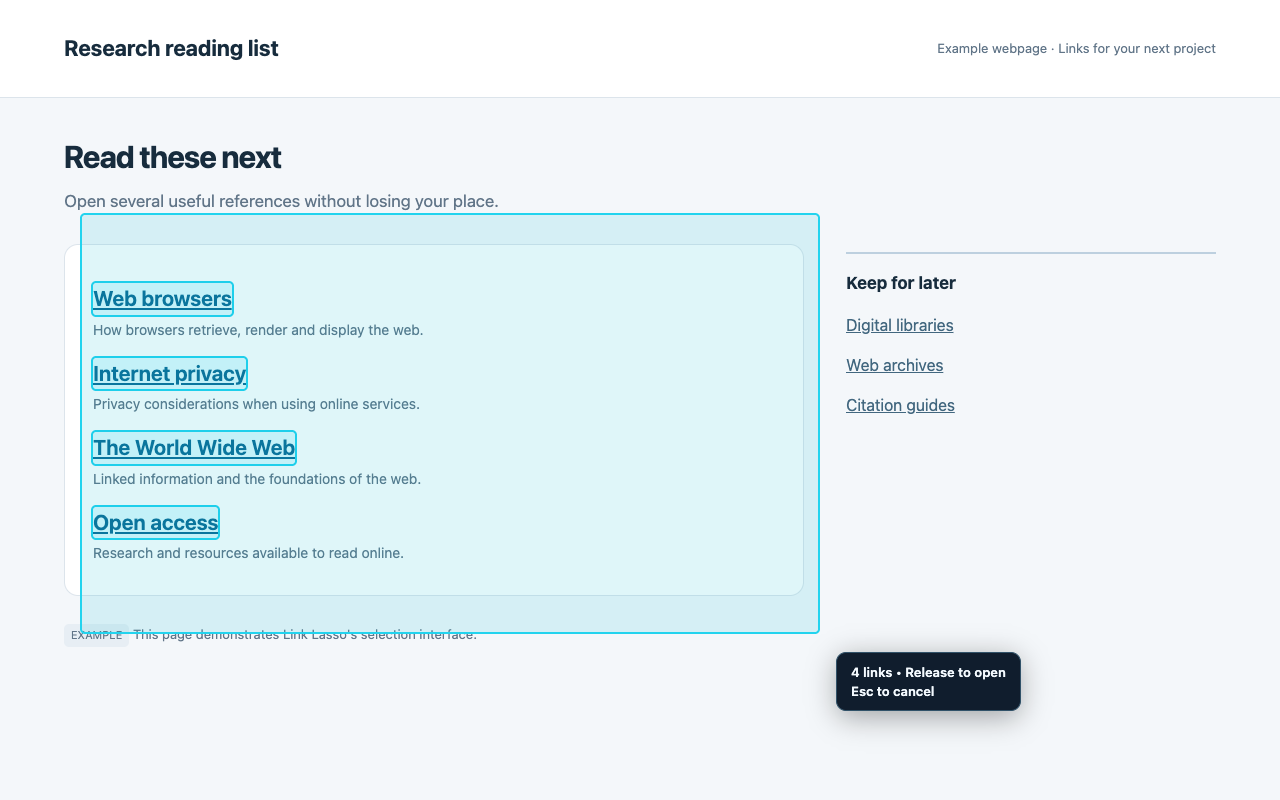
The selection interface on an example research page, as shown in the Chrome Web Store.
Built to stay out of your way
Gather the pages you want to read next without interrupting the page you’re reading now. Ordinary clicks and text selection work normally outside selection mode.
From install to open tabs
Install Link Lasso, then reload web tabs that were already open.
Hold Alt or Option and drag over links. Or click the pinned toolbar icon first, then drag.
Your chosen destinations open in background tabs. Your current page stays active.
A closer look
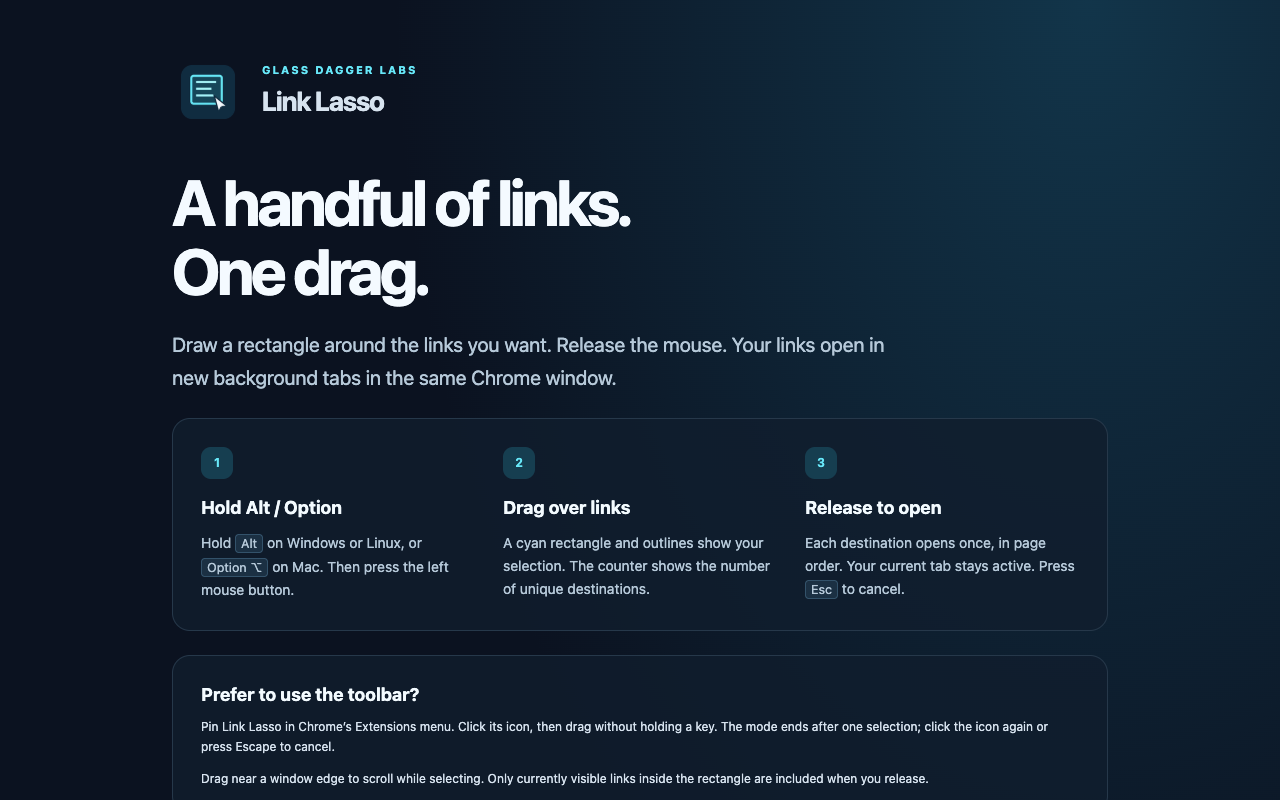
The included help walks through both selection modes. Right-click the extension icon and choose Options to open it.
Good questions
Hold Alt on Windows or Linux, or Option on Mac, then press the left mouse button and drag over the links. A cyan rectangle, outlines and a live count show the selection. Release to open the distinct destinations, or press Escape to cancel.
Yes. Pin Link Lasso in Chrome’s Extensions menu, click its toolbar icon, then drag over links. Toolbar mode ends after one selection. It is also useful when an operating-system Alt-drag shortcut interferes.
Your original tab stays active. Selected destinations open in background tabs in the same Chrome window, in document order. Each unique destination opens once.
Link Lasso works on permitted HTTP and HTTPS pages with real text links and linked images. It skips hidden or covered links, email and telephone links, JavaScript actions and explicit download links. Chrome settings, the Chrome Web Store, built-in PDF viewers and other protected pages do not allow it.
Selection is processed locally. The extension uses link destinations, geometry, visibility, gestures and source-tab/window metadata to open your chosen links. Nothing is sent to Glass Dagger Labs or a developer service. There are no accounts, analytics, browsing logs, saved selections or clipboard access. Opening a link contacts its destination website normally.
Yes. Drag near the window edge to scroll. When you release, the selection includes links currently visible inside the rectangle, not links already scrolled out of view. For cross-origin embedded frames, start a separate drag inside the frame.
Your next reading queue starts here
Add Link Lasso to Chrome and turn a string of repetitive clicks into one simple drag.
Add Link Lasso to ChromeFree Chrome extension by Glass Dagger Labs.
No account. No ads. No analytics.